

Black Light
Shiny Lights
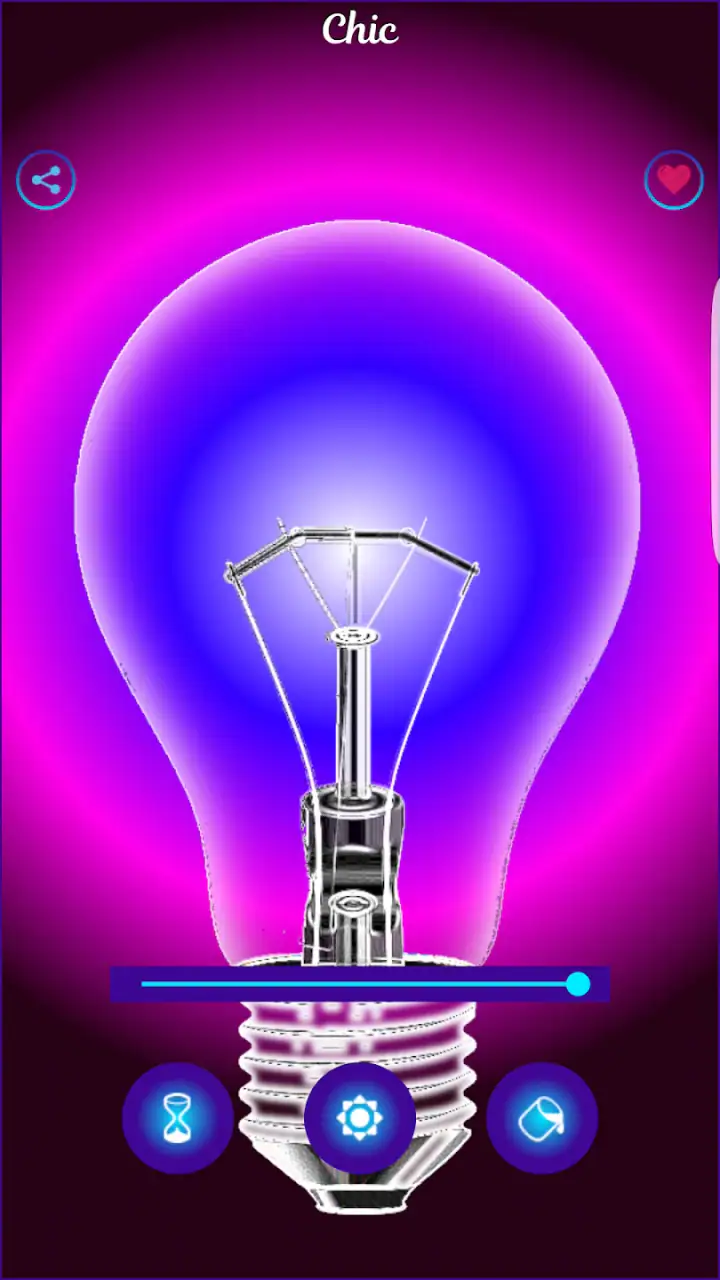
I installed Black Light expecting a simple visual experiment, and that is exactly where this app makes the most sense. Developed by Shiny Lights, it belongs to the Libraries & Demo section rather than the usual entertainment or utility categories. Its purpose is narrow: it presents a phone-based simulation of a black light, giving you a quick way to explore the look of ultraviolet-style illumination without treating the phone as professional lighting equipment.
That distinction matters from the beginning. If you need a dependable lamp for checking materials, creating a room effect, or running a serious demonstration, this is not a replacement for a physical black-light bulb. If you want a free, low-commitment visual tool for a child-friendly experiment, a party moment, or a quick explanation of how fluorescent colors react under black light, it is much easier to recommend. My overall impression is that the app is best understood as a visual demonstration rather than a practical light source.
From an ordinary screen to a black-light-style effect
The starting condition is simple: you have an Android phone running at least version 6.0, and you want to see a black-light effect without preparing equipment. The app is free to install, carries an Everyone content rating, and has been available since October 30, 2016. Its current version is 3.0.0, so it is not a brand-new experiment, but it remains accessible to a broad range of Android devices.
Opening it feels more like launching a small demo than entering a full-featured application. There is no learning curve built around accounts, projects, or complicated settings. The appeal is immediate: start the experience, place something visually interesting nearby, and judge the effect for yourself. That directness is useful when the goal is to show someone the idea of black light in a few seconds.
I found the best starting point was not a completely dark room and not a brightly lit one. In strong daylight, the simulated effect has less visual impact because the surrounding light dominates the screen and the object you are trying to observe. In a dim environment, the contrast becomes easier to notice. This is one of the first practical tips that the short store description does not communicate: the room around the phone affects the perceived result more than a casual first glance suggests.
Related News

Instagram Is No Longer a Photo App. It Is an Attention Engine

Microsoft Teams Mobile: When Collaboration Becomes Navigation

How the NFL App Adapts to Android and iOS Updates

Temu: Elevate Your Shopping Experience to Billionaire Status

Why Traffic Rider Works Best as a Precision Reflex Game

How Google’s Find Hub Transforms Everyday Searches
The phone itself becomes the center of the demonstration. That makes the experience convenient, but it also defines the main limitation. A display can show colors and patterns that resemble a black-light presentation, yet it does not emit ultraviolet radiation in the way a dedicated lamp does. I would therefore avoid presenting it as a detector or as a tool for verifying whether an object truly fluoresces. It is a simulation for the eyes, not an inspection instrument.
How I used it step by step
My workflow was deliberately ordinary. First, I chose a place where the display was easy to see and reduced competing light. Next, I opened the app and watched how the screen changed the atmosphere around the phone. Then I moved a few visually bright objects into view, comparing what looked interesting under the simulated effect with what looked ordinary in normal lighting.
This approach works better than simply opening the app and waiting for a dramatic transformation. The experience is not a camera-based analysis of the room; it is a screen-led demonstration. You are responsible for choosing the subject, adjusting the surrounding conditions, and deciding whether the result is convincing enough for your purpose. That makes the app feel more interactive than a static image, but less capable than a true lighting setup.
Gallery
A useful everyday scenario is a small science activity at home. A parent can open the app while explaining why some colors appear especially vivid under ultraviolet-style lighting. The child can compare bright paper, clothing, or objects with strong colors and discuss the difference between seeing a simulated visual effect and using a real lamp. The app keeps the setup quick, and the Everyone rating makes it suitable for a general audience, although normal care around screens and darkness still makes sense.
Another reasonable use is planning a party or room decoration. I could use the app to get a rough idea of the mood I wanted before buying or borrowing a physical black light. It cannot tell me how a whole room will look, and it cannot predict the output of a particular bulb, but it can help communicate the concept to someone else. That is a small advantage: the phone is portable, familiar, and usually available before the hardware is.
For a classroom or informal presentation, the handoff is also straightforward. One person can hold the phone while another supplies the objects or explains the visual change. The app does not need to become the entire lesson; it works better as a prompt for conversation. I would introduce it as a screen simulation, then use a real black light if the group needs to observe genuine fluorescence. That honest framing prevents the most common misunderstanding.
What happens when the result is passed to someone else
The handoff from one user to another is where this app gains some of its practical charm. Because the idea is immediately understandable, I could show it to a friend without explaining a control system or teaching a sequence of menus. The next person can look at the display and decide whether the effect is useful for their own situation. This makes it a handy conversation starter, especially when the phone is being used as a visual aid rather than as a tool that must produce a precise output.
There is, however, a difference between handing over a demonstration and handing over evidence. If I pass the phone to someone asking, “Does this object really glow under black light?”, the app cannot settle that question by itself. The correct handoff is from simulation to physical testing: use the app to explain the appearance you are discussing, then use suitable real equipment for confirmation. Treating the screen as proof would turn a convenient demo into a misleading one.
The same caution applies when using it for creative work. A designer, photographer, or event organizer might use the app to discuss a color mood with a client, but the final decision should be made under the actual lighting that will be used. Screen brightness, display technology, viewing angle, and room lighting can all change the impression. In my experience, the app is useful at the idea stage, not at the final quality-control stage.
For families, I would also make the handoff more structured. Let one person choose the environment, another choose the objects, and a third describe what changed. This turns a very small app into a repeatable activity rather than a one-second novelty. The important insight is that its value comes from the workflow around the screen: preparation, comparison, and explanation. The app alone is intentionally limited.
Where it compares well with the usual alternatives
The usual alternative is a physical black-light bulb or flashlight. That option wins whenever you need actual ultraviolet illumination, a wider area, stronger interaction with materials, or a result you can trust for a practical task. It also behaves like lighting equipment rather than a phone display, so it is the better choice for events, inspections, photography experiments, and repeated use.
Black Light wins on convenience. There is no separate device to carry, no setup involving a lamp, and no need to find a suitable power source beyond the phone itself. For a quick explanation or a playful demonstration, that lower barrier is meaningful. I can show the concept immediately, while a physical alternative requires planning and equipment.
Compared with a static image or a video, the app feels more personal because I can hold the phone in the situation I am discussing. A video may show a more convincing black-light scene, but it is less useful when I want to keep the conversation connected to an object in front of me. On the other hand, a video can explain real fluorescence more accurately, while this app remains an approximation.
Compared with a dedicated educational app, its narrow focus is both a strength and a weakness. There is less material to explore, but also less distraction between opening the app and seeing the intended effect. I would choose it for a quick visual prompt, not for a complete lesson about ultraviolet light, safety, wavelengths, or material science. Those subjects need explanation outside the app.
Its position in the Libraries & Demo category makes sense because the experience is closer to a demonstration utility than a game. There are no game-like goals I would use to keep returning, and I would not install it expecting a library of lessons. The app earns its place by making one idea easy to show, not by covering the entire topic.
Small friction points that affect the outcome
The first point of friction is expectation. The short description, “Black Light,” is extremely concise, so someone may open it expecting a real flashlight function. That is the wrong mental model. The app should be approached as a screen simulation, and the difference becomes especially important if the user wants to examine stains, authenticate materials, or test fluorescent products.
The second issue is the dependence on viewing conditions. A screen-based effect can look different from one phone to another, and the surrounding room can either support or overwhelm it. I would not judge the app after opening it beside a bright window. I would first lower the ambient light, clean the screen if glare is distracting, and view it directly rather than from a sharp angle. These are simple adjustments, but they make the demonstration more consistent.
The third issue is scale. A phone display is small compared with a lamp illuminating a wall, table, or group of people. If several people need to see the result, the handoff becomes awkward because everyone has to gather around one screen. For a group activity, I would use the app as an introduction and then move to a larger visual aid or real equipment.
The fourth issue is the app’s limited role in a practical workflow. It can help you decide whether the black-light idea is worth exploring, but it cannot replace the next step when the outcome depends on genuine ultraviolet output. That trade-off is not a flaw if the app is used honestly; it becomes a problem only when convenience is mistaken for accuracy.
There is also a small purchasing consideration. The app is free, while optional in-app purchases are listed at $0.99 per item. I would begin with the free experience and decide whether the basic simulation already serves the purpose. Since the core appeal is a quick visual demonstration, I would not spend money unless an optional item clearly improved a specific activity I planned to repeat.
Who will get the most from it
I think this app suits curious users who want a fast visual experiment, parents looking for a simple conversation starter, and anyone planning a black-light-themed activity before obtaining equipment. It can also help a friend understand what kind of atmosphere you have in mind when words such as “fluorescent” or “ultraviolet-style” are difficult to explain.
It is less suitable for users who need a real light source, reliable material testing, broad-area illumination, or professional creative control. I would also skip it if the goal is to study ultraviolet science in depth. A dedicated educational resource, a physical lamp, or both would provide a more dependable foundation.
The app has reached over a million installs and holds a 3.5 average from around seven thousand ratings, with roughly a thousand written reviews. Those figures suggest that many people have been willing to try the concept, but they also fit my own conclusion: this is a focused novelty and demonstration, not a universal utility. Its value depends heavily on whether your expectations match what a phone simulation can actually do.
My final workflow and recommendation
My preferred workflow is simple: start in a dim room, open the app, compare a few bright objects, explain that the screen is simulating the appearance, and then decide whether a real black light is needed. That sequence gives the app a clear job and prevents it from being judged as hardware. It also creates a useful handoff from curiosity to action: the phone helps you understand the idea, while a physical light handles any task requiring authentic ultraviolet illumination.
After using it this way, I see Black Light as a convenient pocket demonstration with a very specific outcome. It is quick, free to try, suitable for everyone, and easy to show to another person. The most important limitation is equally clear: the screen can suggest the look of black-light illumination, but it cannot deliver the same physical result.
For a casual experiment or a quick visual explanation, I would recommend giving it a try. For inspections, events, photography, or serious science activities, I would choose the usual physical alternative instead and use this app only as a planning aid. Its success depends less on advanced features than on using it in the right place in the workflow. When I treat it as a simulation, it is useful; when I expect a lamp, it breaks down.
FAQs for Black Light
What is Black Light, and how does it work?
Black Light is a mobile app designed to simulate a black light effect using your device's screen. By emitting a specific range of blue and violet colors, it can highlight fluorescent objects and materials in the dark. It’s important to note that while it mimics a real black light, it doesn’t emit UV rays.
Is Black Light safe to use on my device?
Yes, Black Light is safe to use on your device. It operates by adjusting the color display settings on your screen, without requiring special hardware or emitting harmful UV rays. However, prolonged screen exposure might strain your eyes, so it's advisable to use it in moderation.
What are the main features of Black Light?
Black Light offers a variety of features, including adjustable brightness and color intensity to simulate different black light effects. It also has a simple user interface, allowing users to switch between different modes easily. Some versions may include additional features like strobe effects or themed light patterns.
Can Black Light actually detect stains or fluorescent materials?
While Black Light can highlight fluorescent objects to some extent, it does not have the same effectiveness as a real UV light. It can make certain materials appear brighter or more visible in the dark, but it should not be relied upon for serious detection of stains or other substances.
Are there any in-app purchases or ads in Black Light?
The Black Light app may include ads or in-app purchases, depending on the version you download. Free versions often come with ads, while paid versions might offer an ad-free experience with additional features. Always check the app description on the store for details on pricing and in-app content.
Pros
- User-friendly interface is intuitive and easy to navigate.
- Offers multiple light modes for varied uses.
- Consumes minimal battery
- ensuring longevity.
- Compact app size
- saving device storage space.
- Works offline
- no internet required for functionality.
Cons
- Limited customization options for light settings.
- Ads can be intrusive during prolonged use.
- Lacks advanced features found in similar apps.
- No widget support for quick access from home screen.
- May not be compatible with older device models.


